Run Your Entire Business
From One App
From the first customer call to the final invoice — quotes, scheduling, invoicing, and an AI assistant that does the work for you. Built for services, retail, hospitality, trades, marketing, and any small business.
Creates your account and starts your quick setup. No credit card required • Cancel anytime • ~2 min setup

Close the laptop at five. We'll handle the rest.
Built for the Trades, Not Just Office Work
Quotes, work orders, and invoices every app has — plus the trade tools you actually need on the shop floor: blueprint takeoff, cut optimization, bend & weld references, live material pricing, and tender monitoring. Pick the Trades product and the whole platform speaks your language.
Dozens of trade calculators, built in
- Bend tonnage & flat pattern
- Weld inspection & bolt specs
- Pipe & wire sizing
- Material weight & speeds/feeds
- Lumber, roof pitch & stairs
- Concrete, rebar & mortar
- HVAC load & ductwork
- Voltage drop & electrical load
Pick the Trades product and the whole platform speaks your language — no bolt-ons, no extra subscriptions.
Simple, Transparent Pricing
Pick your product, then compare the tiers side by side. Everything is included on every plan — the tiers differ on AI power, limits, and premium features.
Trades — For skilled trades — fabrication, welding, carpentry, plumbing, electrical, roofing, concrete, mechanics & more
| Compare features | Solo $199/mo | Co-Pilot $299/mo | Popular Auto-Pilot $599/mo | Commander $1,099/mo |
|---|---|---|---|---|
| Core features· on every plan | ||||
| Estimates, work orders & invoices | ||||
| Calendar & scheduling | ||||
| Customer & contact management | ||||
| Inventory, suppliers & products | ||||
| Financial reports & expense tracking | ||||
| Labour tracking & timesheets | ||||
| Mobile app (iOS & Android) | ||||
| Two-factor authentication | ||||
| Public shop web page (backtothegrind.app/p/you) | ||||
| AI shop-page builder & block editor | ||||
| Time Machine hourly snapshots | ||||
| Gmail integration (send estimates & invoices) | ||||
| Usage limits | ||||
| Team member seats | 1 | 1 | 5 | 20 |
| AI credits / day | 0 | 400 | 800 | 1,200 |
| Documents / month | 40 | 80 | 160 | 320 |
| Active jobs | 10 | Unlimited | Unlimited | Unlimited |
| Inventory items | 50 | Unlimited | Unlimited | Unlimited |
| AI Assistant | ||||
| AI chat assistant | ||||
| Autonomous operations engine | ||||
| Three-assistant team (Ops + Admin + Sales) | ||||
| Meeting Mode (live multi-assistant) | ||||
| Voice (text-to-speech) | ||||
| Voice recognition & in-app call recording | ||||
| Bring your own AI keys (Groq, OpenAI, xAI) — run AI at zero cost | ||||
| Proactive chat delivery | ||||
| AI model access | Budget only | All models | All models | |
| Invoicing & Payments | ||||
| Branded invoices (PDF + email) | ||||
| Online invoice payments (Stripe Connect) | ||||
| Customer payment links (full or partial) | ||||
| Auto-overdue interest & reminders | ||||
| Bank reconciliation & accounts payable | ||||
| Payroll & HR | ||||
| Team members & roles | 1 | 1 | 5 | 20 |
| Employee self-service timesheets | ||||
| Time-off requests & approval | ||||
| CRA payroll — source deductions (CPP/EI/tax) | ||||
| Printable pay stubs | ||||
| Year-end T4 generation | ||||
| Record of Employment (ROE) | ||||
| CRA remittance tracking | ||||
| Marketing & Growth | ||||
| Marketing campaigns | ||||
| Custom branding & terminology | ||||
| Marketing automation (scheduled) | ||||
| Cold email campaigns | ||||
| Newsletters | ||||
| Social media management | ||||
| Email scanning (invoices & payments) | ||||
| Google Drive auto-export & backups | ||||
| Quality Control | ||||
| QC inspections & templates | ||||
| Job packets & document library (auto-classified) | ||||
| Trade Tools· Trades product only | ||||
| Trade calculators & reference library (43+ tools) | ||||
| Blueprint takeoff studio & cut optimizer | ||||
| AI blueprint analysis & smart estimating | ||||
| Tender monitoring & bid proposals | ||||
| Elite exclusives | ||||
| Dedicated account manager & onboarding specialist | ||||
| Custom AI training on your workflows | ||||
| Priority same-day support | ||||
| Advanced analytics & custom report builder | ||||
| Multi-location / multi-branch support | ||||
| API access for custom integrations | ||||
| White-label branding option | ||||
| Import your existing website — we bring your content with you | ||||
| Start Free Trial | Start Free Trial | Start Free Trial | Start Free Trial | |
30-day free trial · No credit card required · Cancel anytime · Annual billing saves 2 months
How Much Could You Save?
Check off what you currently pay for. Back To The Grind replaces all of it — your savings update live.
Typical monthly costs (Sep 2026). Every item is replaced by Back To The Grind — no separate subscriptions needed.
Everything You Need To Run Your Business
Stop juggling spreadsheets, whiteboards, and text messages. One platform handles it all — from the first customer call to the final invoice.
Quotes & Estimates
Create professional quotes in minutes — line items, materials, labour, and tax. Email a polished PDF to your customer straight from the app, with one-click approve/decline.
Scheduling & Calendar
Book appointments or schedule multi-day jobs. Auto-schedules every stage across your crew, syncs with Google Calendar, and adapts to your business — time-slots or project stages.
Invoicing & Payments
Send branded invoices and get paid two ways: online by card through a secure Stripe or Square payment link, or in person at the Square Register card reader — “send invoice to the card reader” and it charges, marks paid, and emails a receipt. Full or partial payments, auto-tracked.
Customer & Lead Management
Every customer, contact, and conversation in one place — with full history across quotes, jobs, and invoices so nothing gets lost. Track every inquiry from first call to conversion.
AI Assistants That Work
A team of three (Ops, Admin, Sales) that actually does work — drafts quotes, schedules jobs, sends emails, scans your inbox, and follows up. Voice-driven, quality-first, and you control what each can do.
Your Own Web Page
Every subscriber gets a public business website at backtothegrind.app/p/yourbusiness — auto-portfolio from completed jobs, a quote form that lands in your pipeline, and an AI block editor. No web developer required.
Marketing & Outreach
AI market research, competitor analysis, SEO, ad copy, cold emails, newsletters, and social posts — scheduled to Facebook and Instagram. Turn past jobs into new leads automatically.
Photo Library & Ad Builder
Upload your entire photo folder at once — the system deduplicates by content hash and holds up to 4,000 photos. Build multi-page flyers, price lists, and brochures with the Spread Deck Workbench, then export as PDF.
Multi-Sender Email Routing
Route outbound email through dedicated per-assistant addresses — ops@, sales@, admin@yourcompany.com — so deliverability stays clean and replies track back to the assistant who sent them. Connect your Gmail once; the assistants send from the right identity automatically.
Email-to-Print
Tell an assistant “print the job packet” and it emails the PDF straight to your printer’s email-to-print address — no laptop, no fiddling. Documents, invoices, and job packets come off the tray while you keep working.
Mobile App & Offline
Run it all from your phone — quotes in the field, photos on the job, invoices from anywhere. Installable as a native app on iOS and Android with offline trade calculators.
Blueprint Takeoff (Trades)
Upload a blueprint and AI extracts material quantities, dimensions, and a costed Bill of Quantities — converted into an estimate with one click. 43+ trade calculators in your pocket.
Payroll, T4s & Bookkeeping
Full CRA-compliant payroll — source deductions (CPP, EI, income tax), employer contributions, net pay, printable pay stubs, year-end T4s, Record of Employment, and CRA source-deduction remittance tracking. Plus P&L, job profitability, budget vs actual, bank reconciliation, and accounts payable.
QC, Job Packets & Documents
Custom QC inspection checklists, printable job instruction sheets, and a searchable document library for SOPs, policies, and manuals — auto-classified by AI.
Secure & Yours
Per-account data isolation, two-factor authentication, Google Drive auto-export, hourly Time Machine snapshots, and full backup/restore. Your data is always in your hands.
Less Admin. More Life.
Your AI assistants do the estimating, scheduling, invoicing, and follow-up — and even chat with your customers for you — so you can close the laptop at five, hold off on that admin hire, and get back to the reason you started this in the first place. Less admin. More grin.
Without Back To The Grind
- Spreadsheets & whiteboards for everything
- Follow-ups that slip through the cracks
- Evenings lost to invoicing and quotes
- Chasing overdue payments
- Another admin hire just to keep up
With Back To The Grind
- Quotes & estimates in minutes
- Assistants handle the follow-ups
- Invoices sent and tracked automatically
- Get paid faster, on time
- Close the laptop at five




What It Feels Like To Run The App
Not a feature list. A day in the life. These are the moments owners describe after a few weeks — the card reader, the printer, the inbox that runs itself, and the Friday you actually leave at five.
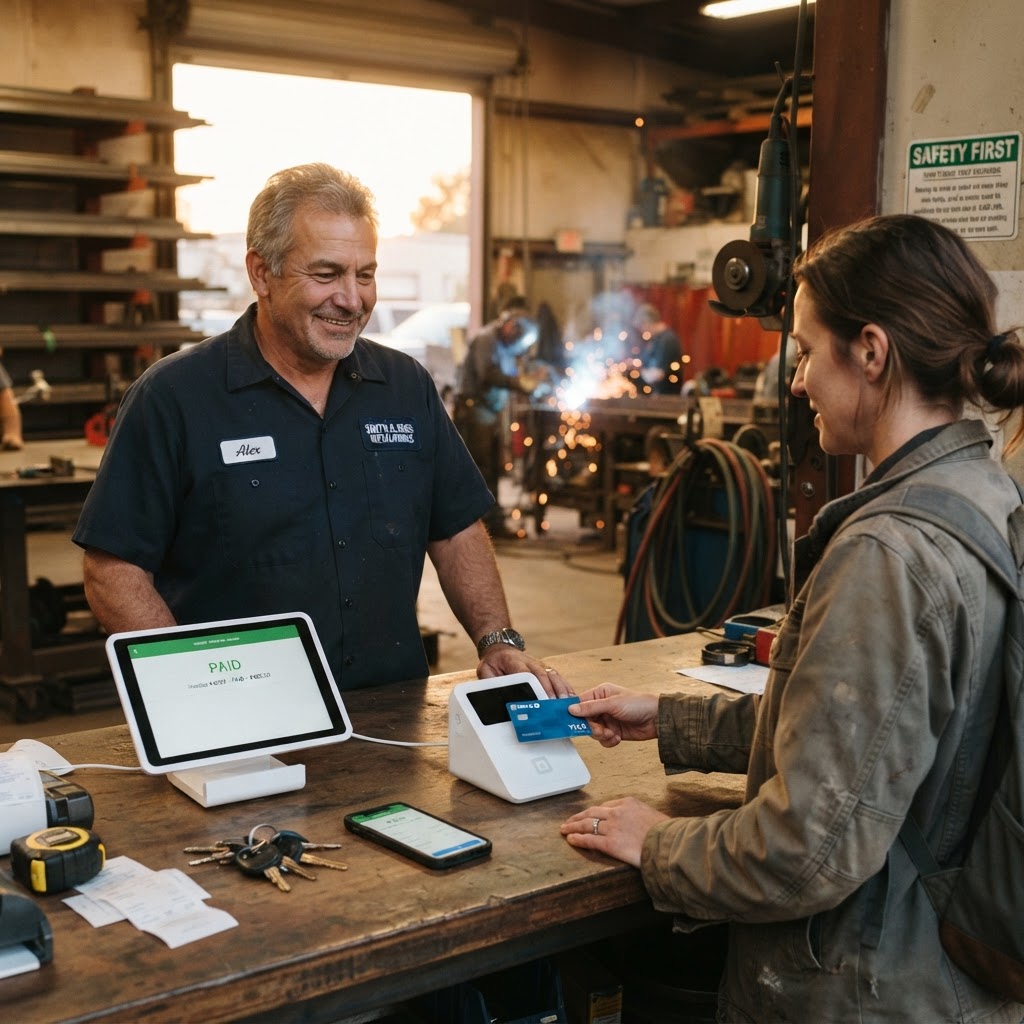
“Can I pay by card?”
A customer picks up their custom gate. You say “that’ll be $2,400.” They ask if they can pay by card. You tell the assistant “send invoice INV-0042 to the card reader.”
The Square Register on your counter lights up. They tap, you’re paid. The invoice marks itself paid, a receipt lands in their inbox, and the payment syncs back — all before they reach their truck.

“Print the job packet for WO-0033.”
You’re halfway to the truck and realize you forgot the job packet. You tell the assistant “print the job packet for WO-0033.” It emails the PDF straight to your printer’s email-to-print address.
By the time you walk back in, the stapled pages are waiting on the tray — safety notes, tools list, materials, and the QC checklist. You grab them and go. No laptop, no fiddling.

Your customer emails back. You don’t touch it.
A customer replies to the estimate. The reply lands in the same tracked thread. The Sales Assistant — sending from sales@yourcompany.com, not your personal inbox — drafts a response in its own voice and holds it for your approval.
Ops replies come from ops@, admin from admin@. Multi-sender routing spreads your outbound across dedicated addresses so deliverability stays clean. You review the draft, tap approve, and never open Gmail.

Close the laptop. The assistants keep going.
It’s Friday at 4:55. The week’s jobs are done, invoices are sent, and the overdue ones have interest applied and follow-ups drafted. The shop page auto-published a new portfolio piece from Thursday’s completed handrail.
You close the laptop. The assistants keep working — quietly, in the background — so Monday morning you walk in to a clean slate and a summary of everything they handled.
That’s the difference. The admin disappears into the background — and you get to run the business.
A Real Look Inside
Live product preview — the actual app interface. Toggle between Trades and Business to see how the same platform adapts to either.
Northside Fabrication
Structural & marine steel fabrication · Operations Hub
Live data from our demo account — actual work orders, estimates, and activity.
Your shop's own web page —
built from your jobs, always fresh
Every subscriber gets a public business page at backtothegrind.app/p/your-shop — automatically. Your completed work orders fill a live portfolio, customers can request a quote that lands straight in your inquiry pipeline, and you pick the theme. No website to build, no content to maintain by hand.
- Auto-portfolio from completed jobs you opt in to show
- Quote form creates a real inquiry in your pipeline
- Custom slug, theme, services & testimonials
Assistants That Actually
Do The Work
Most AI assistants optimize for cheap — trading away search depth, accuracy, detail, and presentation to keep token counts down. Ours are built the opposite way: quality of work first, using the best model for each task, never skipping a step. They aren't efficient. They're effective — and that's the point.
They Do The Work — Not Just Talk About It
Type a job description and the assistant researches current material pricing, builds a full itemized estimate, creates the work order, schedules the crew on the calendar, drafts the customer email, and saves every artifact to your account. Real multi-step execution — not a single-shot answer you have to act on yourself.
Talk, Don't Type
Hands-free mode lets you run the business from the truck seat by voice. Talk to your assistant out loud and it takes action while you speak. On the Professional plan and above, Open Meeting Mode brings the Ops, Admin, and Sales assistants into one live conversation — a hands-free huddle your whole business can sit in on.
Quality First, Every Time
Every task runs on the best model for the job — not the cheapest one that fits the answer. There is no shortcut mode that quietly trades search depth, accuracy, or detail to save tokens. The assistants are deliberately inefficient: they take longer and cost more to run, and the work shows it.
Typical AI Assistant
- Picks the cheapest model that can return an answer
- Answers questions and drafts text — then stops
- Summarizes a job instead of actually doing it
- Silently skips the research it claims to do
- Type-only — no real conversation, no real teamwork
Back To The Grind
- Uses the best model for each specific task
- Executes real, multi-step work and reports back
- Reads the full job, researches the market, cites its sources
- Never skips a step — if it takes longer to do right, it takes longer
- Talk to it hands-free; on Professional & above, run a live meeting with all three assistants at once
A Team, Not A Chatbot
One unified assistant runs your whole business by default — quoting, scheduling, invoicing, email, the lot. On the Professional plan and above it expands into a coordinated team of three: Ops runs operations and the shop floor, Admin runs finance and documents, and Sales runs leads and outreach. Each owns a scope, each checks the shared activity log before overlapping, and you can reassign any task between them, set each to Auto / Ask / Never, and bring all three into one room for a live planning session. No other business platform gives you this structure.
30-day free trial · No credit card · One assistant on Starter, three-assistant team on Professional & Elite
Built For Every Business
Pick Trades for the full platform including trade tools, or Business for everything else. The entire interface adapts to your business type with custom terminology and scheduling.

Service & Appointments
Booking calendar, staff scheduling, customer management, and service quotes.

Retail & Inventory
Stock management, POS, barcode scanning, supplier tracking, and reorder lists.

Hospitality & Lodging
Reservations, room turnover, guest management, maintenance tickets, and inspections.

Marketing & Agencies
Campaigns, social media, email outreach, and ad materials — all in one place.

Operations & Consulting
Job tracking, invoicing, financial reports, business intelligence, and team management.

Trades & Construction
Estimates, work orders, trade calculators, blueprint takeoff, and material pricing.
How A Job Flows Through The Platform
From the first phone call to the paid invoice — every step tracked, automated, and in one place.
Customer Inquiry Comes In
Call, walk-in, Facebook message, or email — log the inquiry in seconds. AI auto-creates an inquiry record and flags the lead quality.
Build the Estimate
Describe the job to the AI assistant. It builds a full itemized estimate with materials and labour rates — plus a photorealistic concept render — in under a minute.
Schedule & Execute
When the client accepts, the job auto-schedules across your production calendar. Your crew sees their assignments, and materials are tracked on your shopping list and material plan for ordering.
Invoice & Get Paid
When the final stage completes, the system auto-creates a draft invoice. Review it, click send — a branded PDF hits the client's inbox from your Gmail. They pay online by card through a Stripe or Square payment link, or you tell the assistant “send it to the card reader” and the Square Register charges them in person. Paid invoices mark themselves and email a receipt.
Know Your Numbers
Every dollar tracked. Job-level P&L, labour efficiency, budget vs actual. The AI follows up on overdue invoices so you don't have to.
Your Business, Your Data
Security and data sovereignty are built in — not an add-on. You stay in control at every tier.
Per-account data isolation
Every record is separated by Row-Level Security. No user can ever see another account’s data.
Two-factor authentication
Lock your account with a time-based code from any authenticator app.
Google Drive auto-export
Every work order, estimate and invoice auto-saves to your own Drive folder.
24-hour Time Machine
Hourly snapshots kept for 24 hours — revert any record after an AI or system mistake.
No vendor lock-in
Export a complete archive anytime. Your data is always in your hands.
Bring your own AI keys
Run AI on your own Groq, OpenAI or xAI keys — zero extra cost, same assistant.
From The People Who Use It
These are real submissions from real users — no paid endorsements, no invented quotes. Every testimonial is reviewed before it appears here.
No testimonials have been shared yet — be the first to leave one.
Frequently Asked Questions
Everything you need to know before getting started.
Get In Touch
Questions, feedback, or feature requests? We want to hear from you. Every submission is read and logged — you'll get a response.
Feedback System
Use the form to send feedback directly to our development team. All submissions are reviewed and summarized daily.
Response Times
Ready To Get Back To The Grind?
Start your free 30-day trial — this creates your account and runs a 2-minute quick setup that configures everything for your business type. Your progress saves automatically, so you can pause and pick up where you left off. Pick a plan whenever you're ready — no credit card required until your trial ends.